
Using AI Without Losing Creative Control
The real production problem
A lot of legacy key art wasn’t built for today’s platforms. It was created for different formats, different brand systems, or one-off campaign needs. Then the system changed. New templates introduced stricter title-safe zones, logo placement rules, and branding constraints.
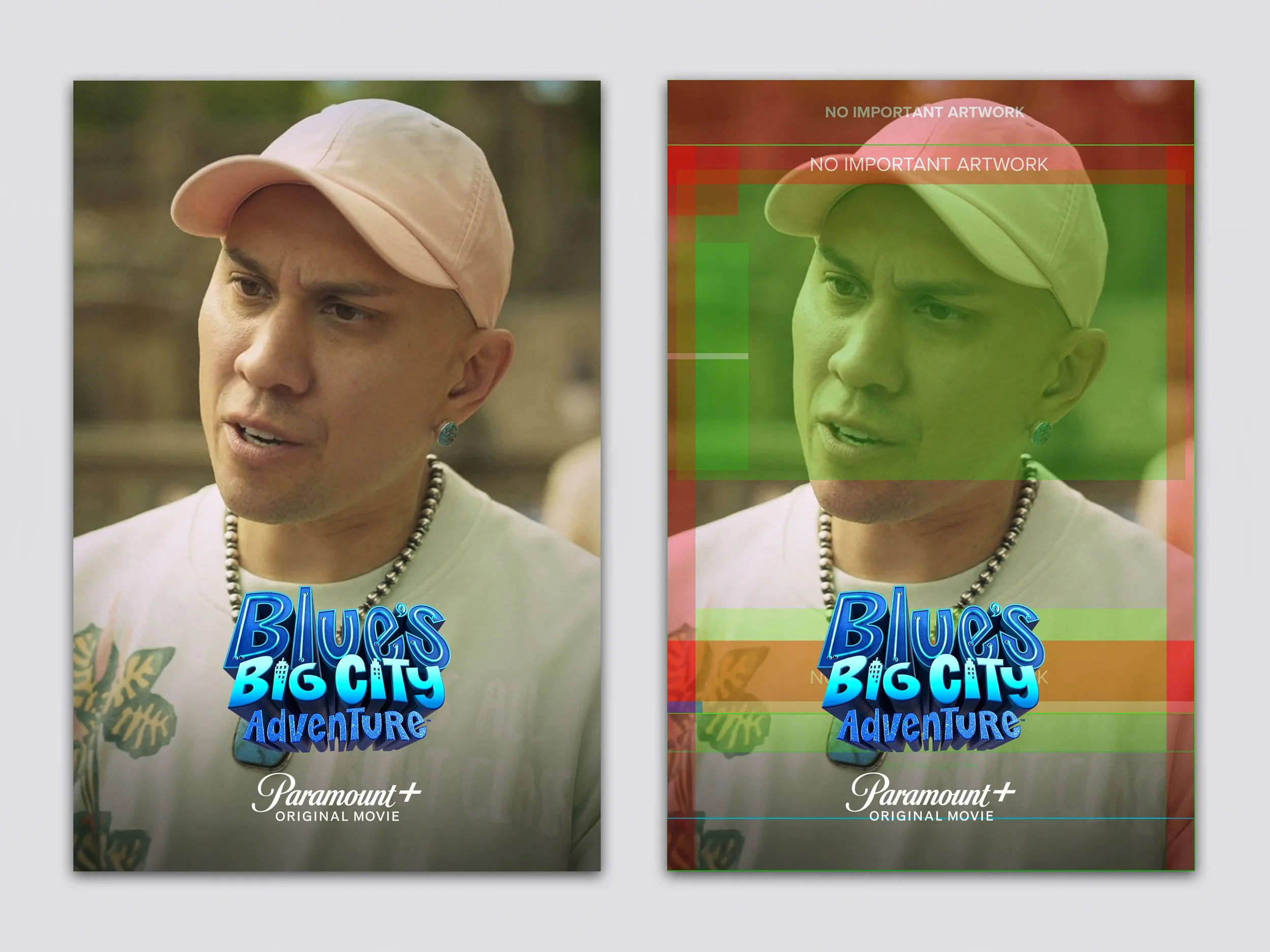
Suddenly, work that looked completely fine in its original context started to break. Faces collided with logos. Crops felt tight. Hierarchy collapsed. Negative space disappeared. The problem wasn’t designing one new hero. It was adapting hundreds of existing assets to a new system, without compromising quality. That’s a production problem, not just a design one.
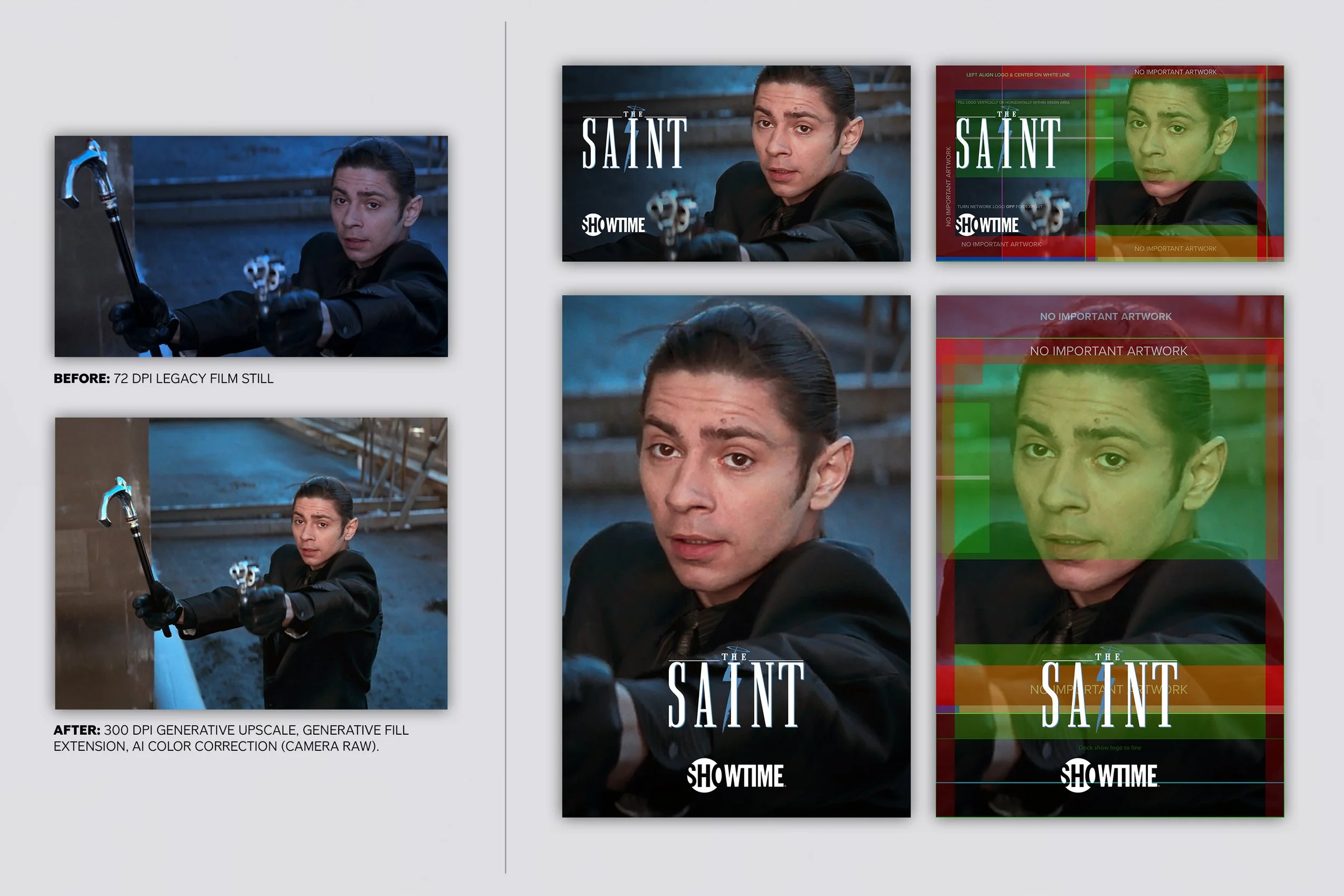
Before and after of a legacy still adapted for modern templates. AI-assisted upscale, extension, and cleanup create usable space for titles and branding while restoring detail and improving hierarchy.
Why this is a senior design problem
Template compliance is never mechanical. Logo-safe space affects composition. Extending backgrounds can flatten tone. Forcing a brand system onto assets that weren’t built for it can break everything from focal hierarchy to emotional read. You’re balancing speed, consistency, and taste at the same time. This kind of work sits between production design, art direction, brand systems, and quality control. It’s not about pushing pixels. It’s about making judgment calls at scale.
Case study: modernizing legacy stills for alt key-art project
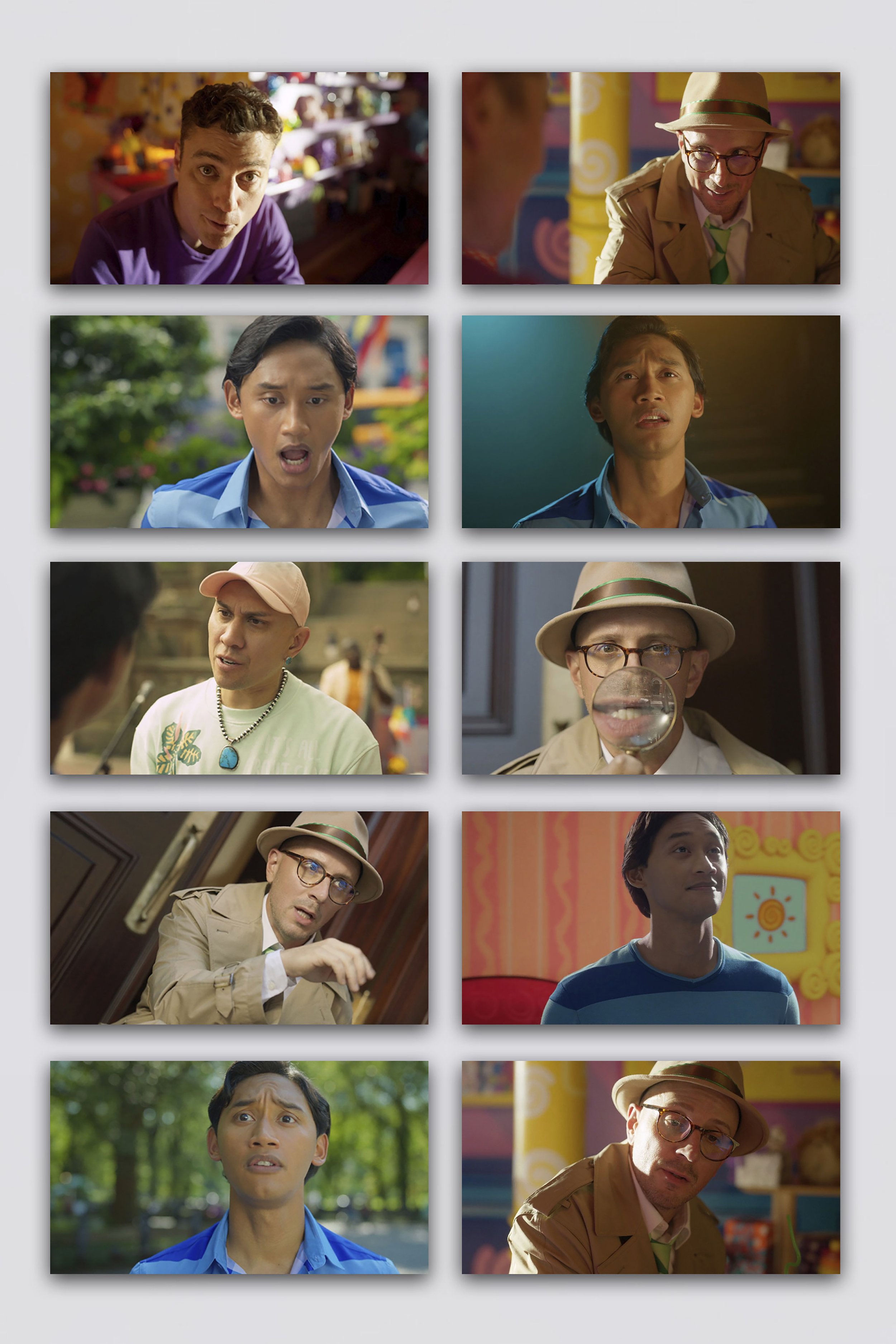
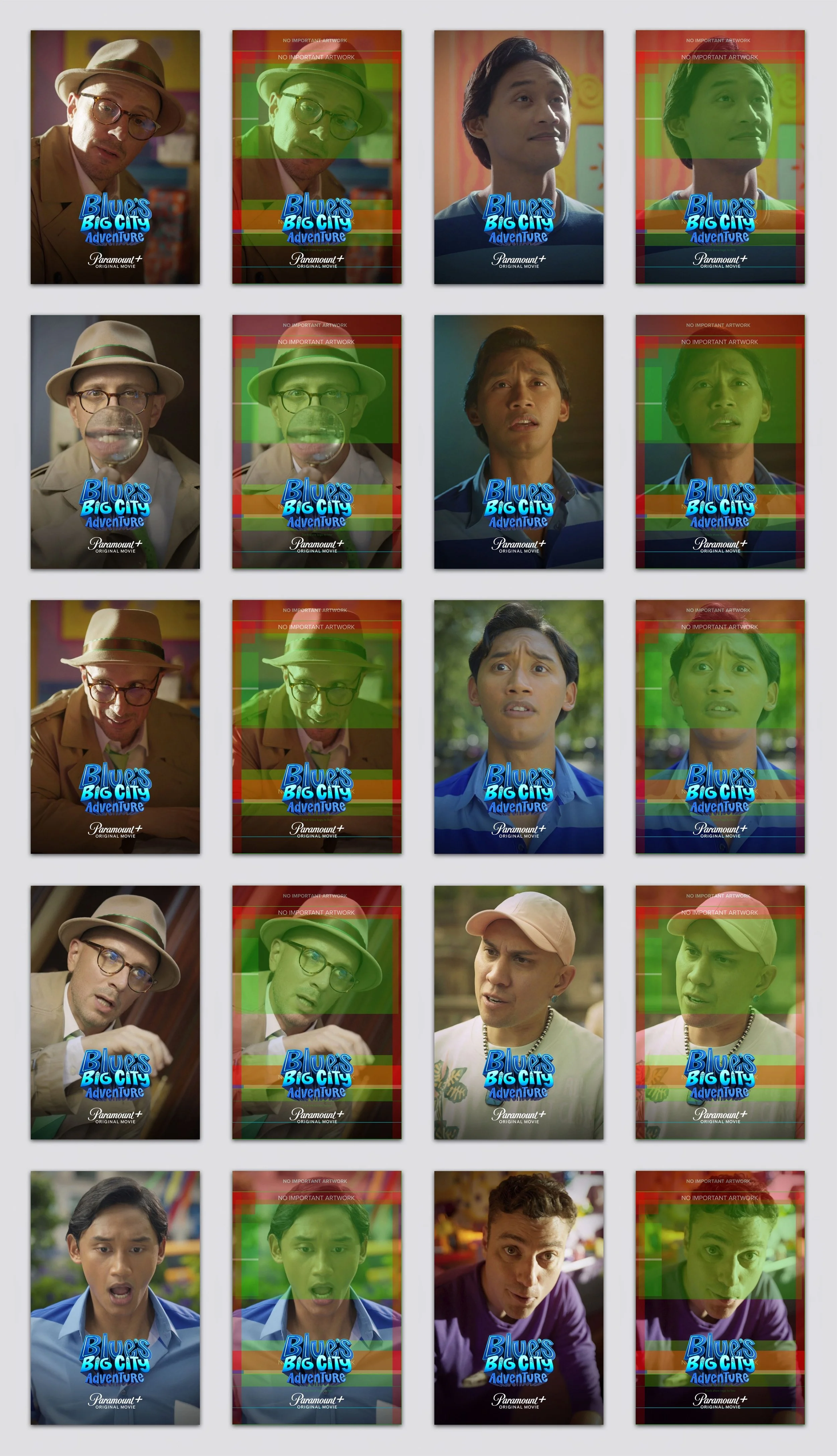
Episodic stills with inconsistent color and quality, many tightly cropped with no room for logos or branding, requiring normalization and spatial rebuild for platform use.
The work involved a large library of legacy art that needed to fit into updated key art templates:
artwork cropped too tightly for new templates
logos competing with faces or titles
missing negative space
low-resolution or compressed stills
inconsistent quality across titles
compositions that worked before but failed in the updated system
The goal wasn’t to redesign everything. It was to make the library usable again, inside a new set of rules.
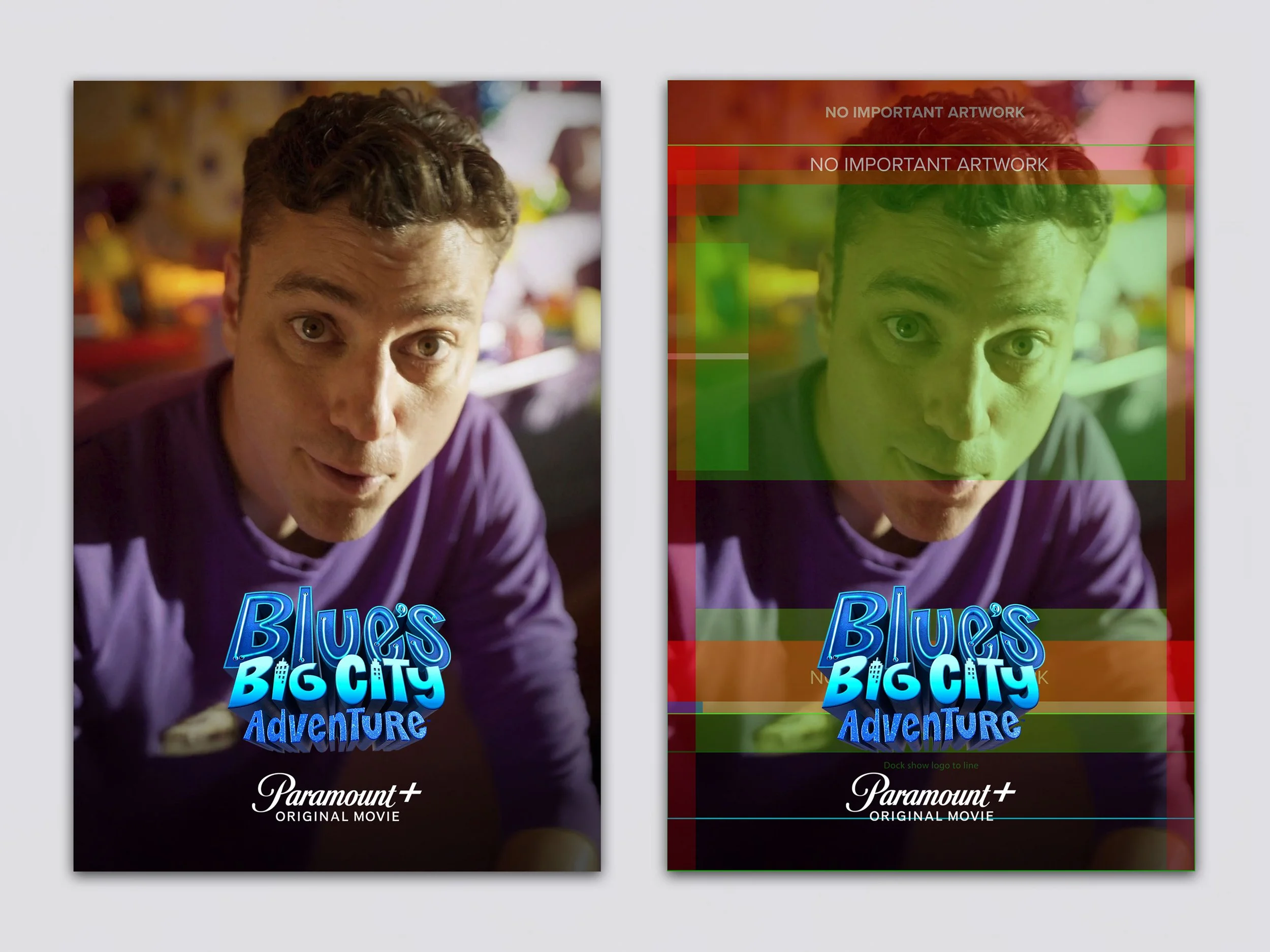
What the AI-assisted pipeline actually did
AI was used as a production layer, not a creative replacement.
Extension and rebuild
Backgrounds were expanded with Generative AI to create safe zones for titles, logos, and flexible crops.
Cleanup and repair
Distracting elements, compression artifacts, and awkward transitions were removed or rebuilt.
Color correction and lighting issues
Adobe Lightroom AI was used as a first-pass correction tool to improve color balance and resolve lighting problems, leaving final visual judgment to the designer.
Upscaling and recovery
Weak source material was improved using Camera Raw AI, enough to meet modern digital standards.
Composition rescue
Generative AI created first-pass solutions for overly tight or broken layouts.
Workflow acceleration
The same process could be applied across large batches, freeing up time for actual design decisions.
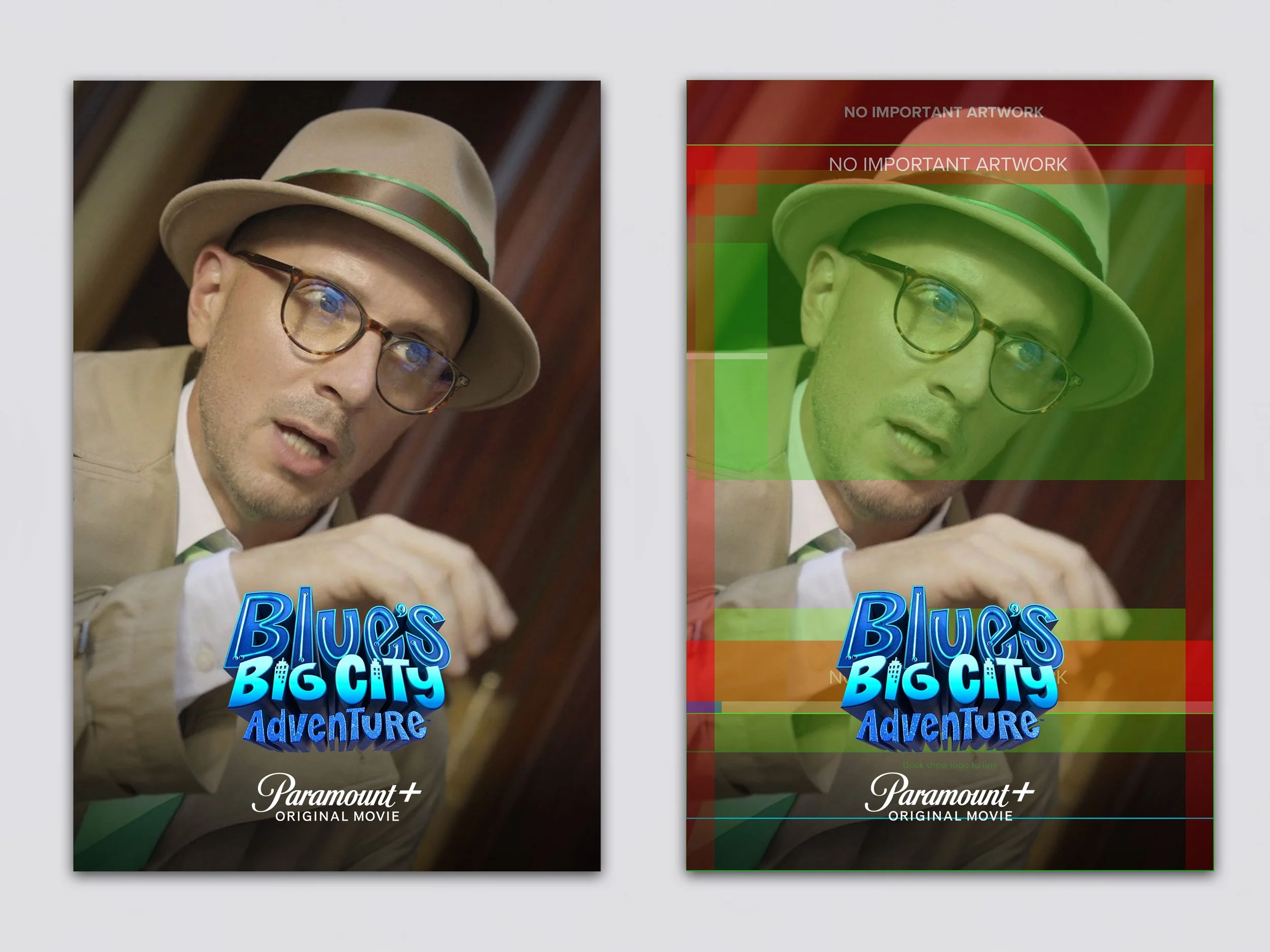
What still had to be done manually
AI didn’t finish anything. Final quality depended on design judgment:
deciding focal priority
protecting faces and likeness
restoring believable edges
correcting color and tone
refining logo relationships
validating crop and type safety
knowing when to stop and rebuild instead
AI created usable first passes. The final result still required a designer.
The system behind the workflow
The real leverage came from structure, not tools.
Everything operated inside a defined system:
title-safe zones
logo-safe zones
crop logic
talent scale rules
hierarchy standards
template structures
naming and versioning
QA checkpoints
AI became useful only because it operated within clear constraints. Without that, it would just generate inconsistency faster.
Practical examples
This approach translates across common production scenarios:
Poster to streaming marquee
A theatrical one-sheet breaks under UI constraints. AI creates space, then hierarchy is rebuilt manually.
Low-res still to homepage hero
AI recovers detail enough for use. Final polish handles color, contrast, and focus.
Franchise library normalization
Different eras of artwork are cleaned and aligned without flattening identity.
International title changes
Expanded layouts allow longer titles without redesigning the entire asset.
Partner marketing adaptations
Space is created for co-branding while maintaining composition.
Email and CRM usage
Key art is adapted into modular layouts with clearer hierarchy.
DOOH from legacy art
Compositions are simplified and extended to read at distance.
Where AI helps most and least
Helps most
background extension
removing distractions
recovering weak assets
creating first-pass layouts
repetitive production work
scaling across large libraries
Helps least
composition judgment
typography
facial accuracy
premium finishing
storytelling
maintaining brand consistency without oversight
The takeaway
AI didn’t replace design. It removed friction. It made large-scale adaptation possible without lowering standards. The value wasn’t in the tool. It was in how it was used: inside a system, guided by judgment, and finished by a designer. That’s where senior design still matters.